1,000+
Copies sold
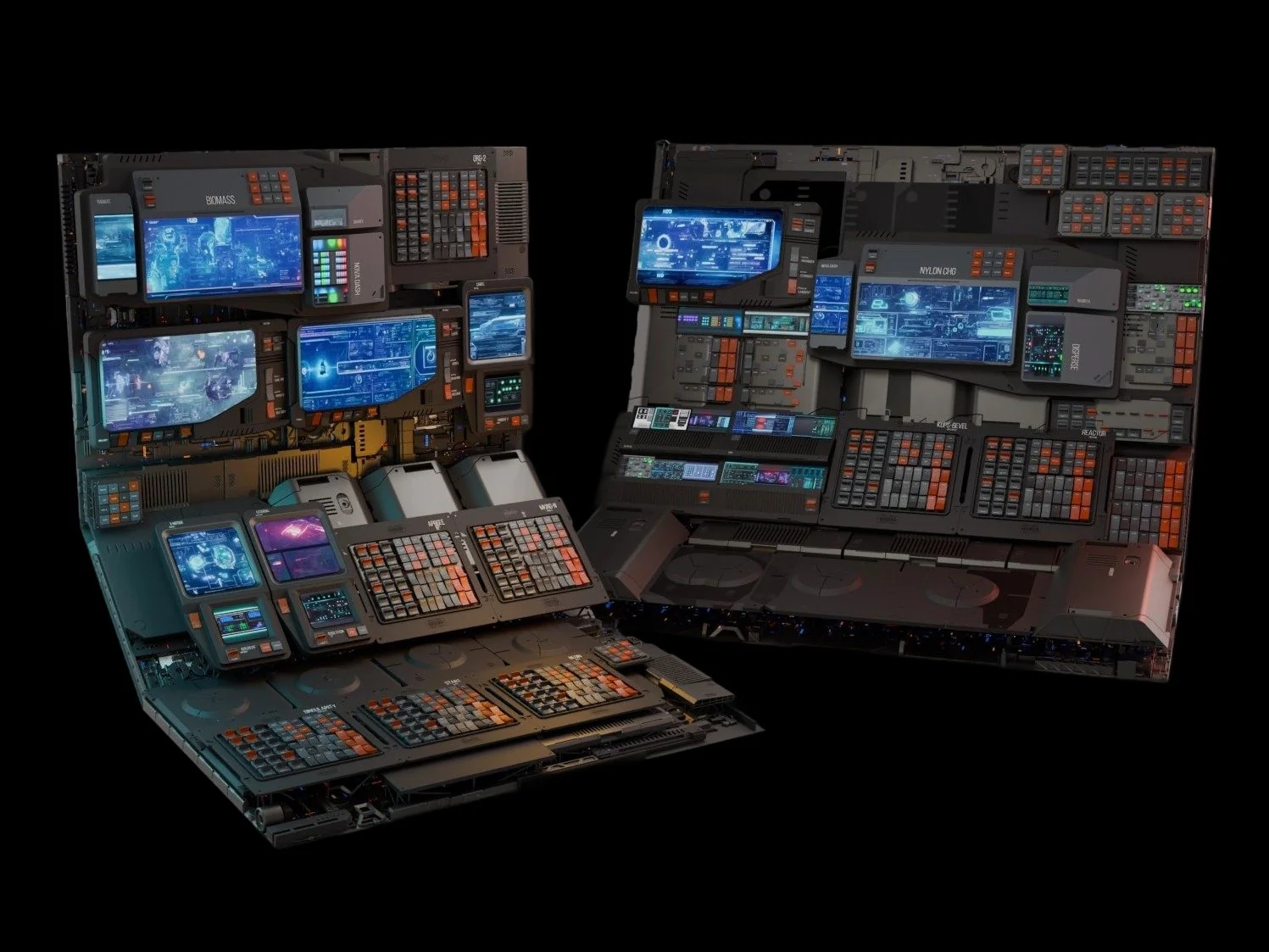
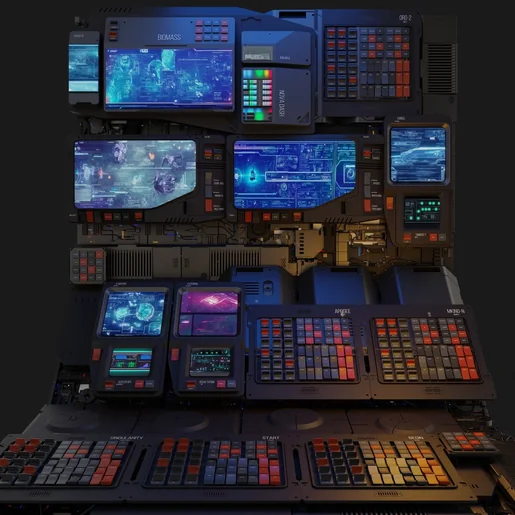
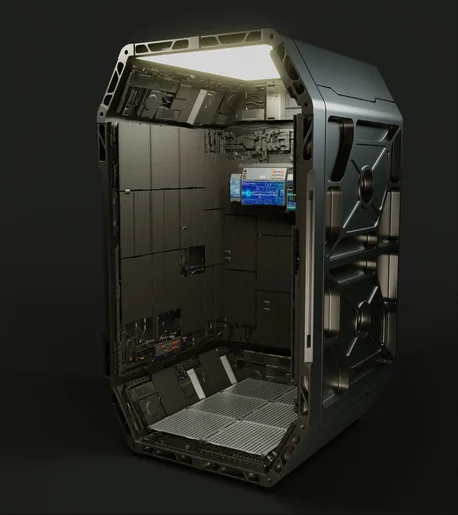
SPOCK floods any selected faces with dense, organized sci-fi detail — panels, vents, pipes, nurnies, and hero pieces — using ten real rectangle-packing algorithms. Parts fit edge-to-edge, never overlap, and stay inside the perimeter you select. Built for hard-surface and sci-fi artists — cockpits, corridors, control panels, hulls, and props.
 // spock.pack
Scatter tools throw parts at a surface and hope. SPOCK packs them — ten real rectangle-packing algorithms fit parts edge-to-edge, never overlapping, always inside the perimeter you select.
// spock overview
SPOCK (Structured Packing Object Creation Kit) is a Blender add-on that turns a plain surface into a dense, believable hard-surface design in seconds. Ten rectangle-packing algorithms — real MaxRects, Skyline, and sorted variants, not random scatter — place parts from your DPACK collections edge-to-edge across the faces you select.
The included SCIFI DPACK ships with several Collection Sets to start from — a growing third-party catalog lives at cw1.me/dpacks.
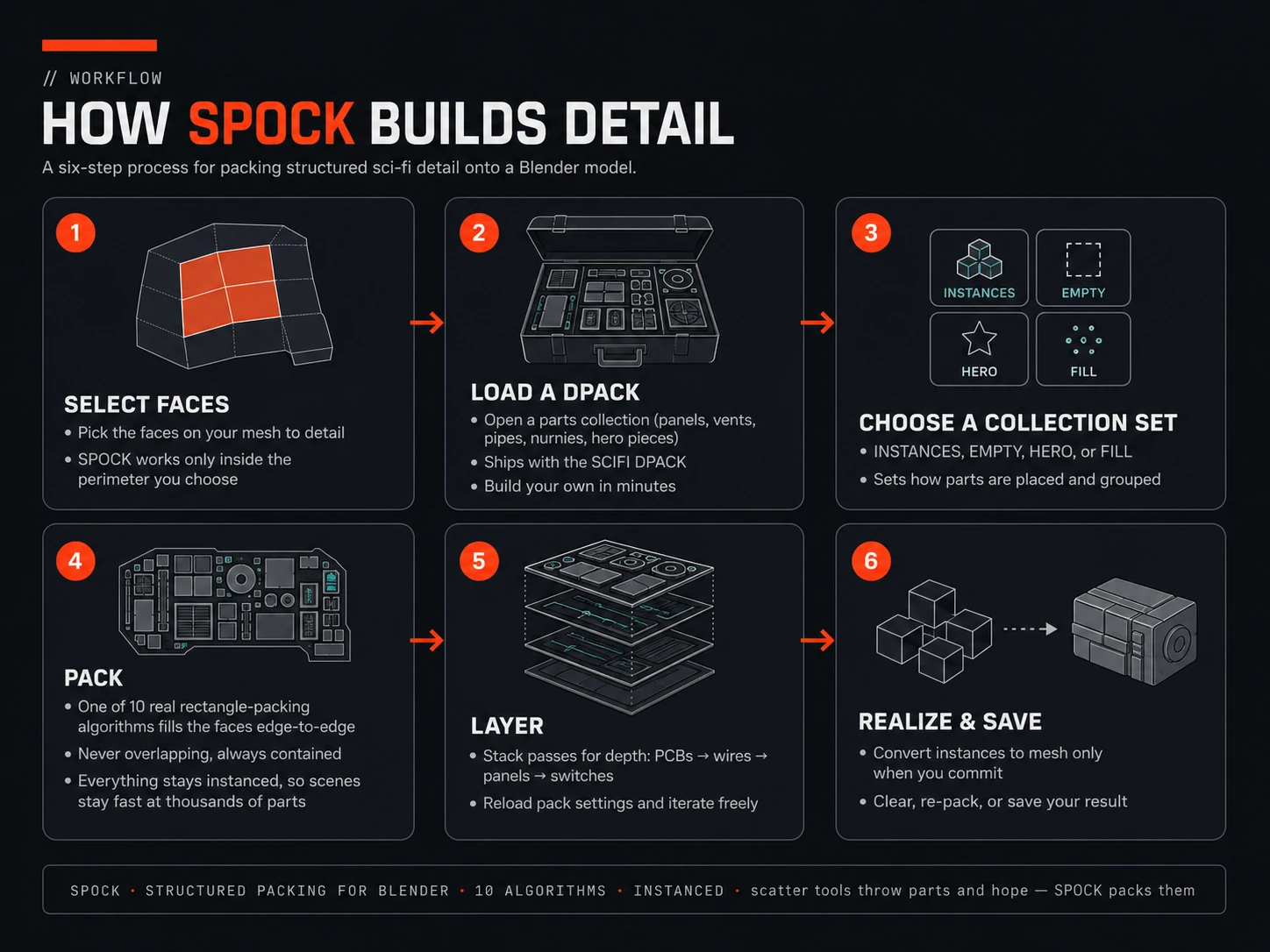
// spock — the full packing workflow, step by step
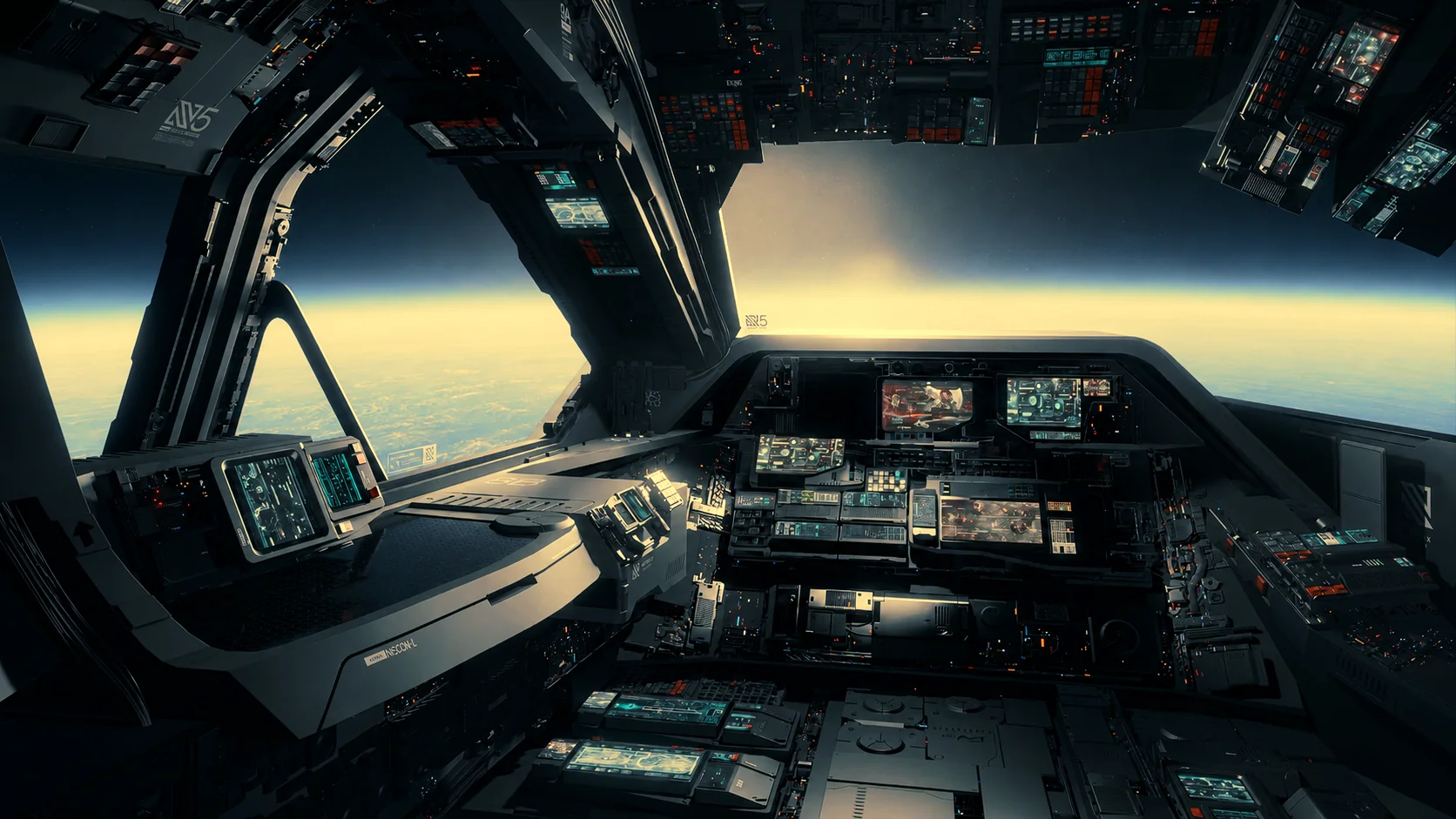 // spock.origin
It wasn't possible — geometry nodes can't do regular packing, edge-to-edge fitting, or stay inside face boundaries. So we wrote real packing algorithms in Python instead. That's the whole product: computer-science packing wearing a one-click UI.
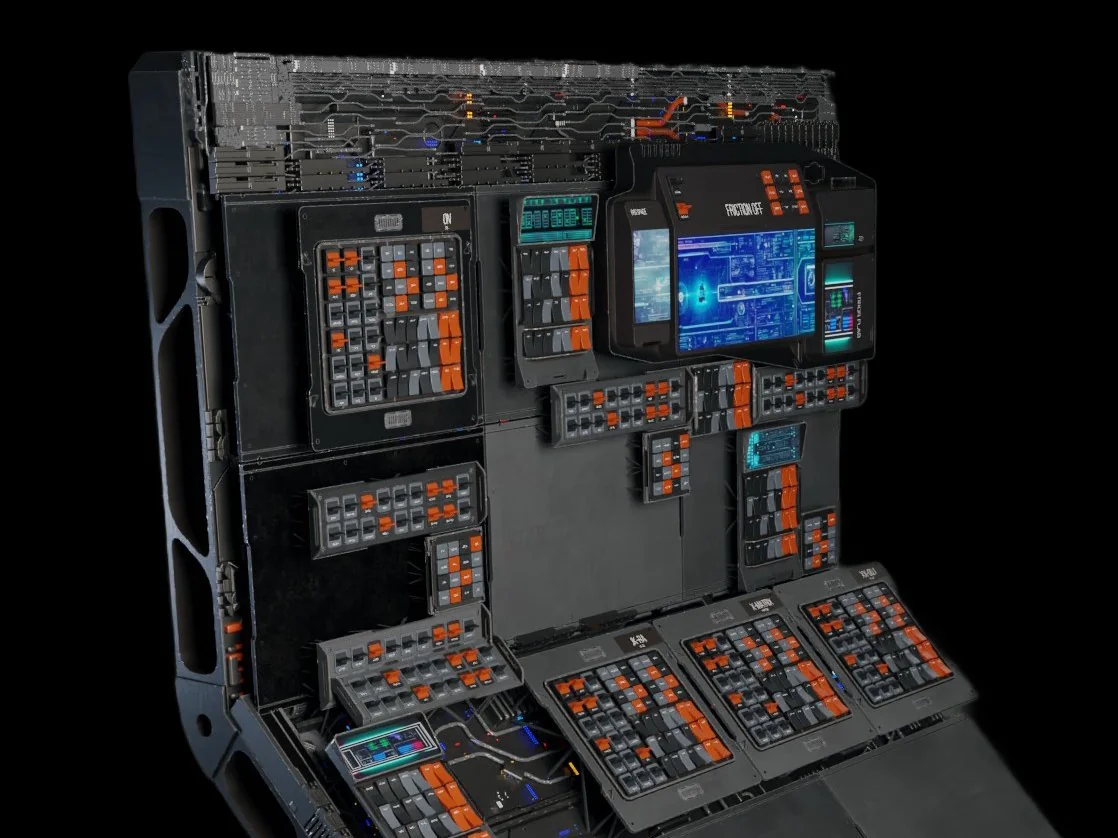 // spock.layers
Because SPOCK packs real parts, you can build detail in ordered layers: a layer of PCBs, wires on top of the PCBs, panels over those, then switches, buttons, and activators on top. Each layer packs around the last — HERO parts get placed once and avoided by the next pass, EMPTY sets reserve blank regions, FILL lays an underlay of pipes and panels beneath everything. That layered control is the difference between generated noise and an art-directed surface.
Point SPOCK at a collection of parts, pick an algorithm, and hit pack. It fits as many parts as the surface holds — non-overlapping, gap-minimized, and fully under your control.
RANDOM, MAX, MIX, SIDE, CORNER, COLUMNS, and sorted variants — real 2D rectangle packing that fits parts tightly, never overlapping, always inside the selection.
Load Collection Sets straight from your DPACK library. Point preferences at any folder; your packs live where you want them.
INSTANCES packs the collection; HERO places a fixed count of one-off pieces; EMPTY reserves blank space; FILL lays an underlay beneath every other layer.
Factor, margin, Z offset, scale range, rotation mode, and a global density slider — precise art direction per collection.
PACK reshuffles instantly, CLEAR resets, SAVE stores a layout you like, and saved sets reload their settings later.
Thousands of parts stay light because they're instances; the max-instance cap keeps Blender safe; REALIZE converts to real geometry on command.
A multi-material that varies per instance, an edge-wear version, and a global material swapper — delivered as KPACKs for KIT OPS Free or Pro (optional).
A DPACK is a .blend with SP_ collections — no special software to create one, no lock-in, and the license lets you sell what you build.
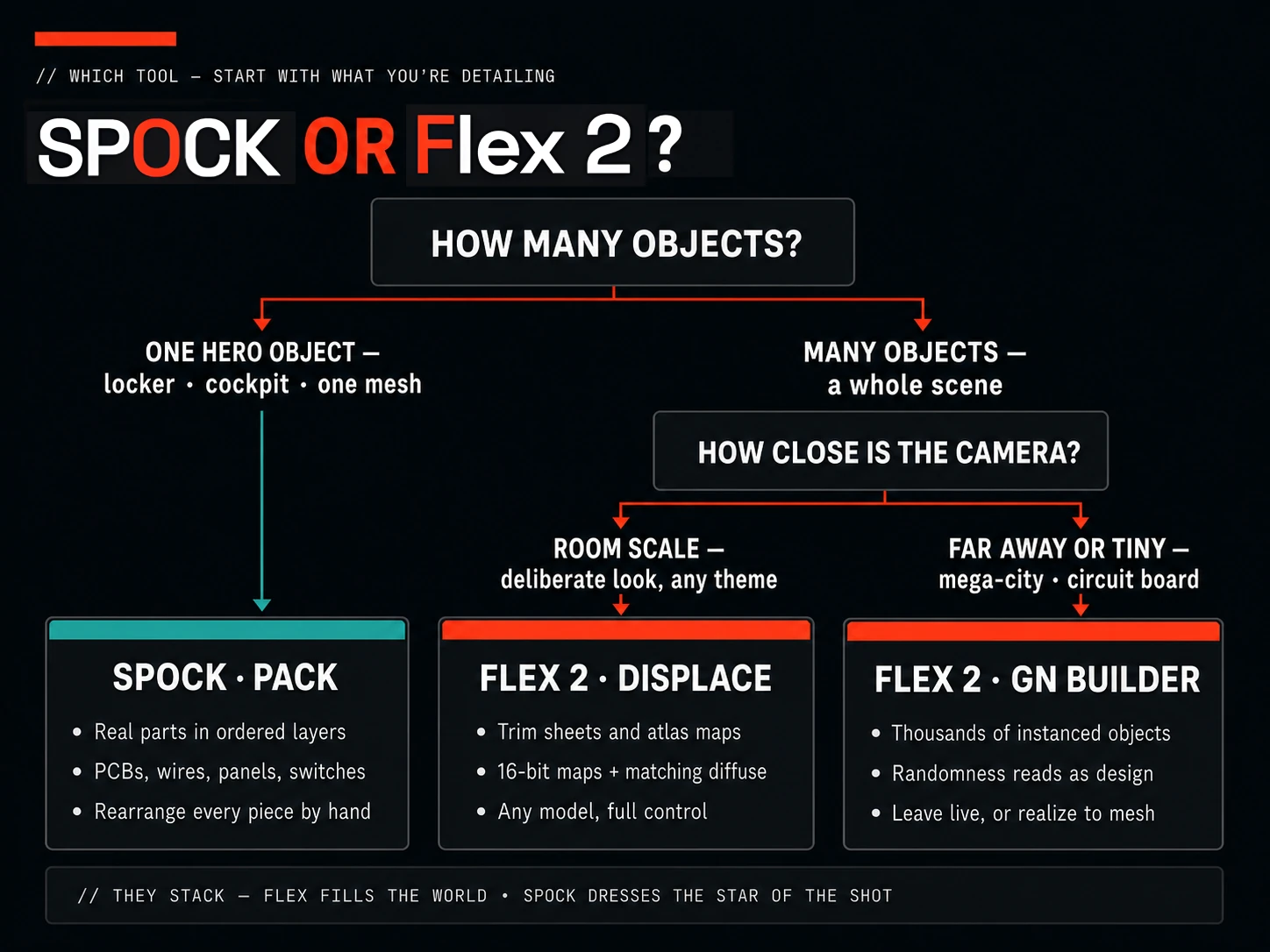
// pick by what you're detailing — they stack
“Spock is a super weapon. Want screens on something? Painting on a wall? Panels of switches arrayed in a sci-fi way? You click what you want covered and click again… don’t like the arrangement? Just push the button to fill again.”
“Downloaded this at 5 A.M. and already having a blast!! Works great and fast — I have a laptop with 16GB RAM and it’s smooth as silk.”
“I messaged Chipp about it, and true to form, he messaged me right back… the response and the community vibe with all of his products is THE standard.”
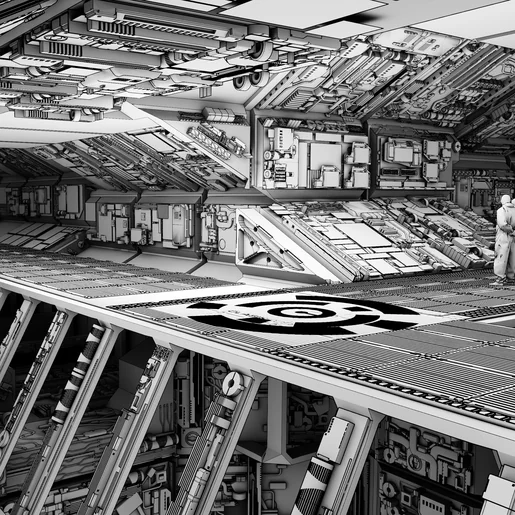
Ask what you're detailing. One hero object — a locker, a cockpit, a station interior that's one object — is SPOCK's job: real parts packed in ordered layers you can rearrange by hand. A whole scene of many objects is Flex 2's job: generate randomized mass at city or circuit-board scale, or bake trim sheets and dress everything with control. Synth is the deep boolean/KIT OPS tool — most powerful, slowest to learn. They stack — Flex fills the world, SPOCK dresses the star.
No. SPOCK is fully standalone. The bundled materials KPACK is an optional bonus for KIT OPS Free or Pro users.
Best on flat and paneled surfaces — cockpits, corridors, control walls, hulls. Curved surfaces with large-scale parts pack less well; keep parts small relative to the curve.
SPOCK installs its packing libraries on first registration — an internet connection is needed once. After that it works offline.
Packs are instanced, so thousands of parts stay light. Around 20k instances Blender slows noticeably; the instance cap in preferences and per-face packing keep you in control. REALIZE only when you commit.
Yes — a DPACK is just a .blend with prepared collections. Build them in minutes, use any materials you own, and sell them if you like.
If you build hard-surface and sci-fi detail, SPOCK places the parts for you.
Tech panels, hulls, corridors, cockpits, robots, props.
Believable density fast, without hand-placing hundreds of parts.
You already think in part libraries; SPOCK places them for you.
Ten algorithms, per-set controls, density curves to tune.
Build libraries once, reuse them everywhere, sell them if you like.
Designed by Chipp Walters — a 30-year industry veteran and the creator of KIT OPS, Blender's most-trusted kitbashing add-on. Proven experience. Stellar support. Built for artists like you.
Product files used to ship through shared Google Drive folders — and you told us everything wrong with that: permission requests, sign-in walls, throttled downloads, and no way to tell what changed. That system is gone. SPOCK, its DPACKs, and every update now ship from the CHIPPWALTERS download server: one folder, open in any browser.
One purchase, no subscription: the SPOCK add-on, the full SCIFI DPACK library, materials KPACKs, and docs, all from one download folder.
This isn't a fire-and-forget asset drop. It's backed by first-class support for Blender customers since 2019 — an active Discord where a human answers, and a catalog of tools trusted by artists worldwide.
Turn a plain shape into a hyper-detailed sci-fi surface — organized, non-overlapping, and entirely art-directable.